Making a science or wildlife film requires a set of basic gear. Those new to filmmaking will find that it's sometimes overwhelming when trying to figure out what gear they need. That shouldn't be the case though. The gear you have doesn't define you as a filmmaker, it's what you do with it. Ten years ago, filmmakers would have loved to get their hands on even the most basic of gear today. We say this only to let you know that the gear is a small piece of the puzzle.
For those interested in some of the gear we've used, we're happy to share our expriences. Over the last 4 years, we've found a good mix of quality equipment and affordable gear. While in the future we may provide a site for the best gear for wildlife filmmaking, right now we're providing only the gear we have found to be the most useful in our filmmaking pursuits. If you're interested in budget filmmaking, we have this resource for you as well. The gear listed below are owned by the production crew and serve as the core to the production of this site.
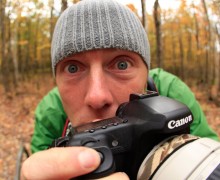
Today there are some great video cameras for the wildlife filmmaker that fall under 6,000 USD. This is likely the largest investment an independent filmmaker will make. Our gear is composed of the Canon 5D Mark III and the GoPro HD. The crew had used the Panasonic HVX200 for about 4 years now, and its a great mix of quality HD video recording and great sound. The two current favorites, however, are the Canon 5D Mark III and the GoPro HD simply because they make "under the radar" filmmaking so much easier.
It's difficult to make a video without sound, unless one just shoots stock or they're going for the "home video look." To make a production really shine you need good quality sound gear. Untamed Science uses Sennheiser Evolution lavalier microphones for almost everything. They run about 500 USD, which is well worth it for quality sound. There aren't many quality microphones for cheaper than this.
Gone are the days of cutting film or rewindng and playing VHS tapes over and over again. Nonlinear editing (as its called), is the new form of digital editing that makes the films Untamed Science makes fast and engaging. The main NLE system most filmmakers use, including Untamed Science, is Final Cut Pro. FCP Studio comes with the video editing package, Soundtrack Pro (for creating music), Color (for final mixing the color of the output), and Motion (to create motion graphics). The Untamed Science workflow uses all of these, with the exception of Motion. The crew's preference for fancy graphics is After-Effects from Adobe.

Professional DP's will note that a good looking image is, "all about the lighting!" They're right. It's hard to make a poorly lit scene look good. However, It isn't neccessary to spend a ton of money on a kit. Cheap work lights from Home Depot wrapped in black aluminum foil work just fine. However, a cheap kit thats under 1,000 USD will make your life easier.
While a shaky, hand-held look can work for many situations, it's best to start with a quality stable shot. Quality wildlife and documentary filmmakers should look to spend about 400 USD on a decent tripod. Untamed Science tripods are all bogen wildlife tripods with Manfrotto 501 or 503 heads.
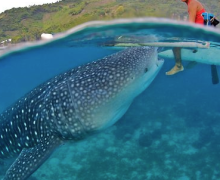
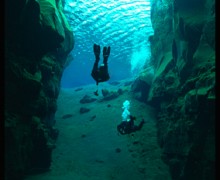
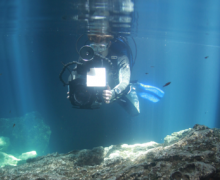
With 2/3rds of Earth covered in water, much of the wildlife live beneath lakes and seas. Filmmakers who want to tell the story of the undewater world should start by getting an underwater setup. Untamed Science has a Gates housing for the Panasonic HVX200 - yet at 6,000 USD it's out of the range of most filmmakers. The team recently purchased an Ikelite housing for the Canon 5D Mark II. At only 1600 USD, it's a much better buy. If you want to get into this type of filmmaking read our full article on Underwater Filmmaking.

Every producer needs a way to create scripts for production. When it comes to that, we use Celtx. It's free and has all the features we ever need to make our pre-production seemless. It comes on Mac, Windows and Linux and there is a mobile version for the iPad and iPhone.
Handbrake
If you want to save some of those wildlife DVD's from your friends, chances are you're not coping DVD's anymore. Likely, you're just exporting the file to your laptop. Handbrake is a great tool for converting DVD's to high quality digital files. Works on Mac, Windows, etc.
VLC Player
VLC is free video player. You know how sometimes if you try to open a video in Windows Media Player or Quicktime it won't play? VLC handles many more formats than either of those default video players. As they say on the VLC site, "it plays everything!" Works pretty well on underpowered computers, as well. Free on all OSes.
GarageBand ships with every new Mac and is great for recording music. But if you'd like a simpler way to record audio for, say, a podcast or interview, Audacity is a free (and lighter) alternative. It records live audio from any source, imports and exports a variety of formats, and allows you to apply a variety of filters and edit multitrack audio. It's cross-platform software that is available for Mac, PC and Linux.
When we need to convert our DSLR files in batch, we turn to MPEG Streamclip. It's a great free transcoding app for anything you might need it for. Works on Mac and Windows.
On our website, not all of our content creators are graphic designers. That means they havn't spent hundreds of dollars on Photoshop packages. Fortunately there is a free image editor out there that works very well ... and it's free. Check out GiMP. A lot of what you see here was created with this app.
Sometimes you have to send big media files. We have found three good options. For files up to about 1GB we tend to use iDisk, a program built into Apple's YouSendit has always been a good option for sending files. Yet, you only get a 15-day free version. A new program, WeTransfer provides the same service for free!